Real Admin captures
Product screens come from a production Admin build at native high-density resolution.
source · ca245350
Built for ceramic and tile wholesalers. Retailers order from mobile, while your team manages stock, estimates, challans, invoices, payments and reports in the Admin portal.
 Carrara Bianco600 × 600 · ₹ 82.00
 Statuario Gold600 × 600 · ₹ 96.00
 Nero Marquina600 × 600 · ₹ 104.00
See how each team uses the same record. Every product screen comes from the isolated fictional demo business.
Build the export file you need. Check balances, stock, GST and invoice profit from records already in the Admin portal.

Until approved customer stories exist, we show actual CeramicPortal screens, identify fictional data and label every diagram.
Product screens come from a production Admin build at native high-density resolution.
source · ca245350Vitrasa Ceramics and every retailer, rate and record shown here are fictional demo data.
PII review · completeDiagrams are labelled. Product UI, customer outcomes and certifications are never generated.
claim gate · enforcedYour team controls the Product Catalogue and price list. The retailer places an order with products and quantities.
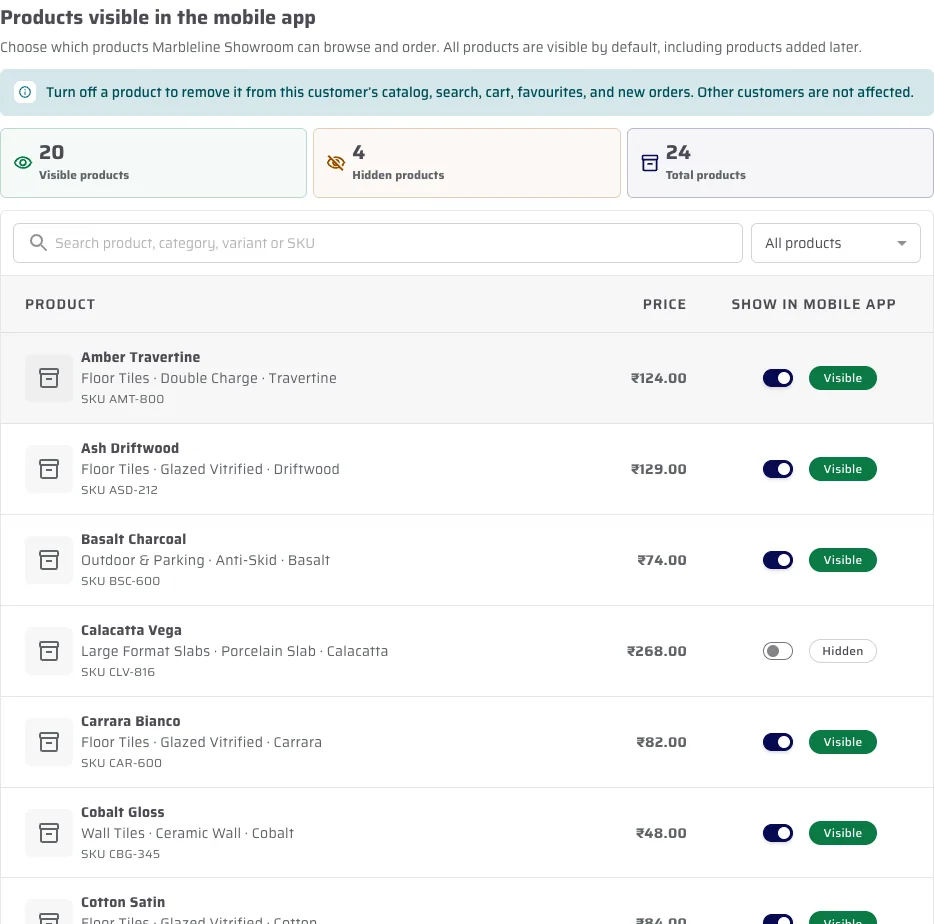
Choose the products that customer may see and the price list that applies to them.
Hidden products are absent. The shown rate comes from that retailer's assigned list.
Products, quantities and customer arrive together, ready for your team to review.

This is not a customer result. Switch between two fictional retailers to compare their visible products and assigned price lists.
Pune · seeded demo retailer









Fictional product-level rates from the verified Vitrasa demo tenant—not CeramicPortal subscription or plan pricing.
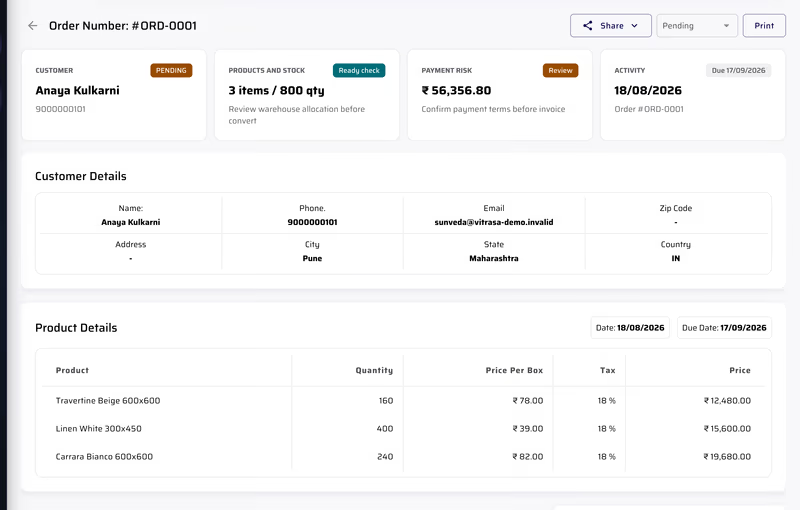
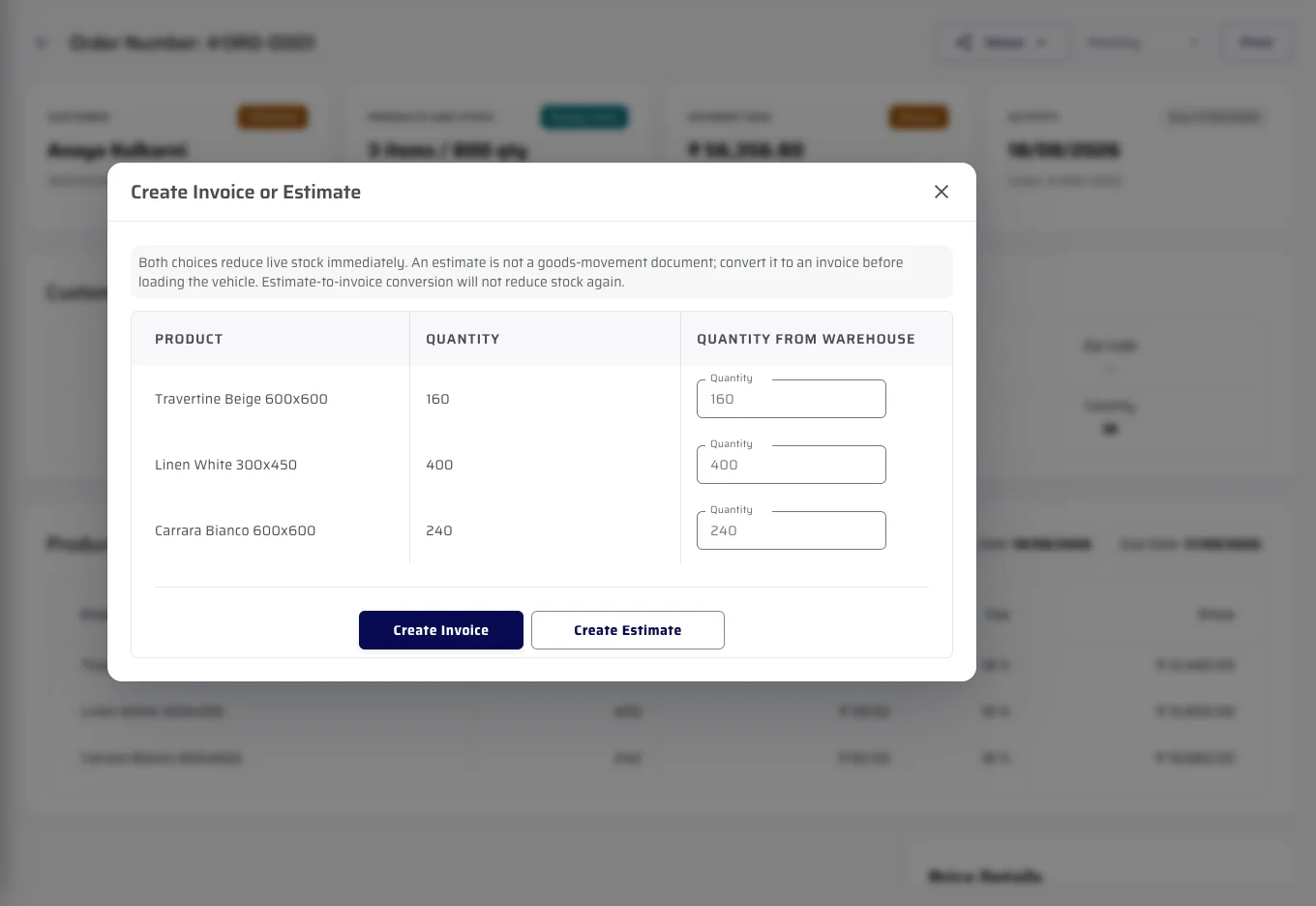
The order your retailer placed becomes the estimate, challan or invoice your team issues.
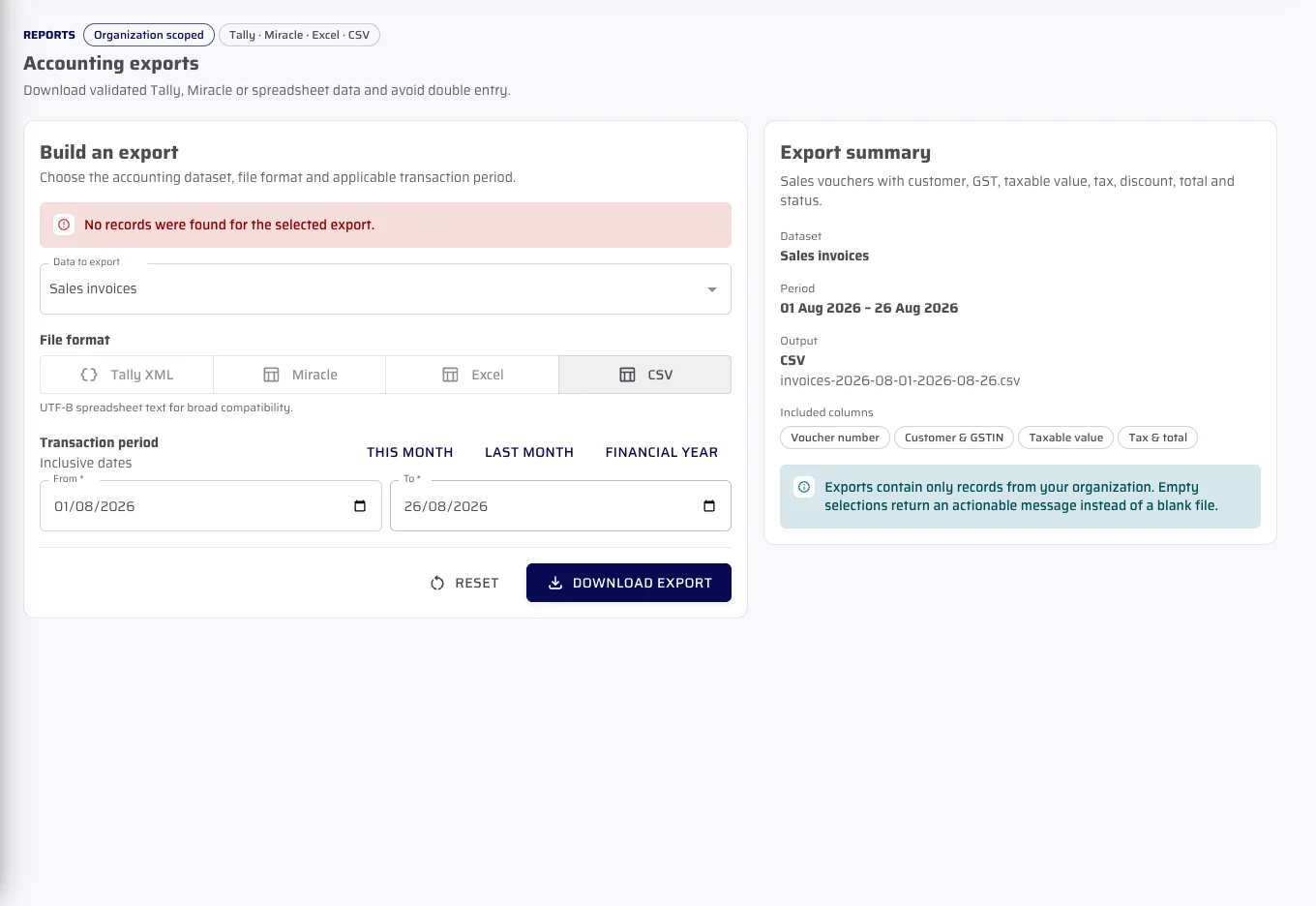
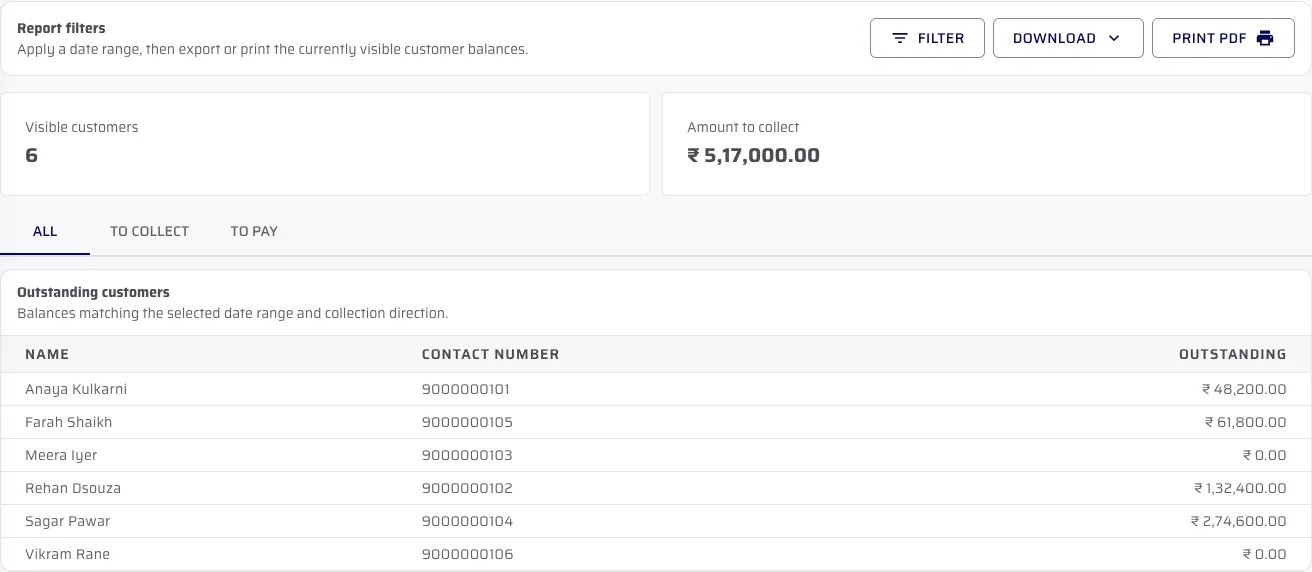
CeramicPortal prepares Tally-ready, Miracle-compatible, Excel and CSV files. Reports use the records in your Admin portal.
Ceramic Portal produces the files Tally and Miracle import, so the same transaction is not typed twice.
Customer Outstanding is pictured. The rest are the same shape — a question, a period, an exportable table.
No durations: none has been measured.
Import products and customers
Set opening stock across your godowns
Choose what each retailer sees, and their price list
Add your team, then point your retailers at the app
Exact annual prices and plan limits come from the published CeramicPortal billing catalogue.
50 retailers / showrooms · 200 products
200 retailers / showrooms · 500 products
1,000 retailers / showrooms · 1,000 products
Direct answers about the retailer app, catalogue control, documents, exports and support.
Yes. A retailer places the order in the app. It arrives in your Admin portal with products and quantities.
Yes. Price lists are assigned per customer, so the price a retailer sees in the app is the one you gave them.
Yes. You can hide specific products from specific customers. A hidden product does not appear in that retailer's catalogue at all — it is absent rather than greyed out.
Yes. An order continues into an estimate, a challan or an invoice, with payments and sales returns recorded against it.
Yes. Invoices, challans, payments, ledger and expenses export for a date range you choose. Tally-ready XML, Miracle-compatible workbook (sales invoices only), CSV or Excel. These are files you download and import, not automatic connectors. Tally and Miracle version support has not been verified, so we list no versions.
Ceramic Portal does not currently have per-retailer stock-display controls — no approved quantity band, no hidden-stock mode. There is no available-to-promise figure either. If how stock appears to your retailers matters to your decision, raise it on the demo and we will show you exactly what is on screen today rather than describe it here.
You reach us by phone, WhatsApp or email, and we train your staff during onboarding. We have not published support hours or a response time, because we have not measured one we would be willing to be held to.
We discuss your Product Catalogue, price lists, retailers, branches and godowns during the demo.
