
Reports and profitability
Check customer outstanding, stock, GST and invoice profit.
Use party-wise, product-wise, stock, GST, sales, purchase and invoice profit reports. Filter the recorded data to answer a specific business question.
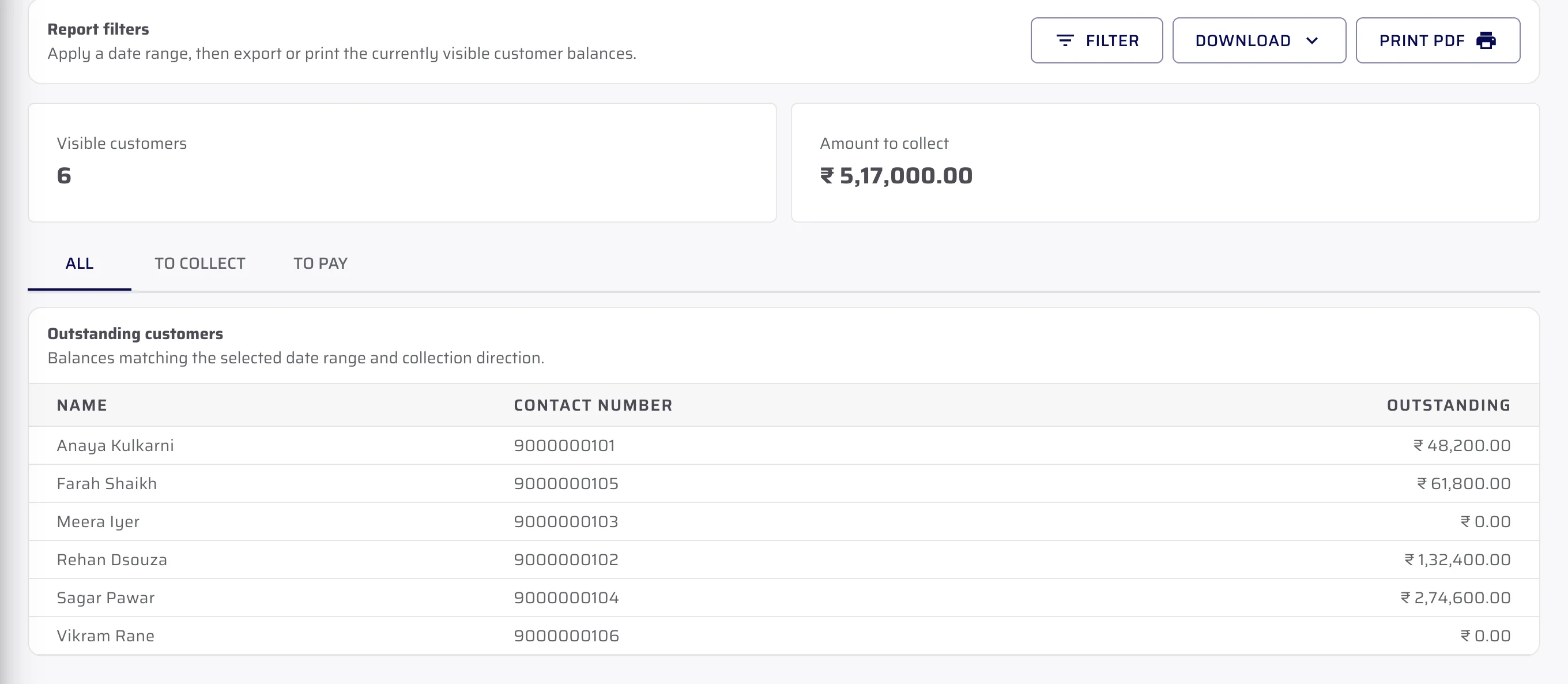
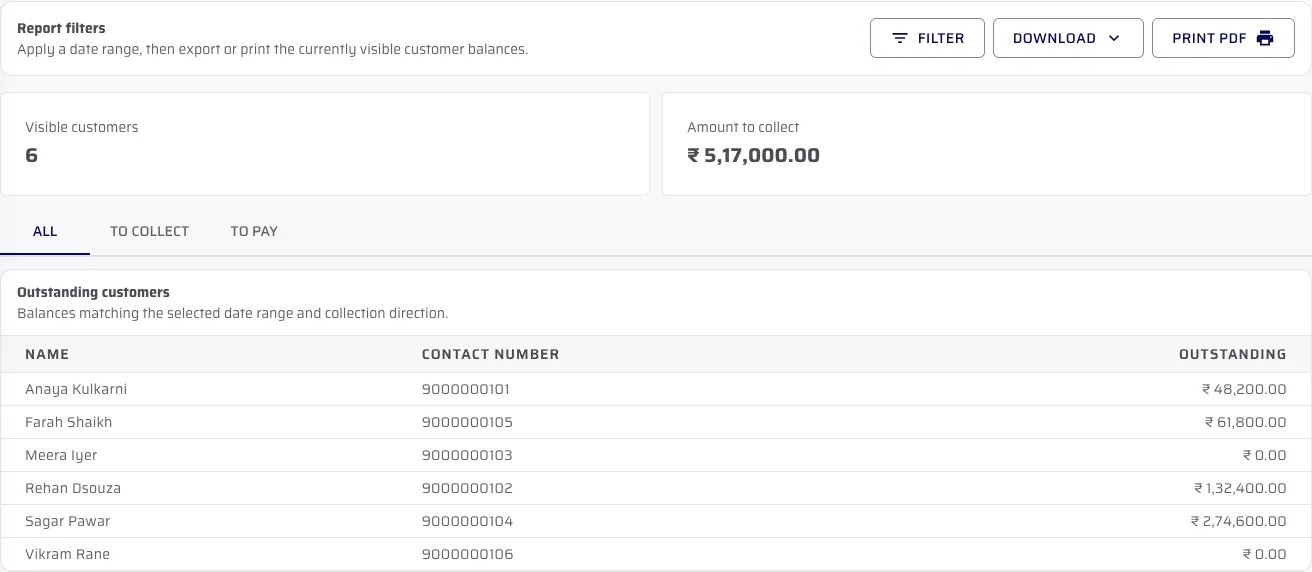
Report filters
Choose which balances you want to review.
The Customer Outstanding report can show all balances, amounts to collect or amounts to pay. The recording uses fictional demo data.
- Choose the collection direction
- Keep the visible customer count and amount in context
- Download or print the filtered result where supported
Available reports
Open the report that matches your question.
Available reports include customer and supplier outstanding, sales, purchases, stock, GST, party statements, daybook, expenses and invoice profit.
- Use date, party and item context where the report provides it
- Print or download the report’s current result
- Use values recorded in the Admin portal
Important limits
What is not included.
We explain the feature first, then state the related limits clearly.
Questions about this
Answers before the demo.
Which operational questions can the reports answer?
Available views cover party balances, sales, purchases, stock, GST, statements, daybook, expenses and invoice profit.
Can a report be filtered?
Yes, where the report provides filters. The Customer Outstanding report can switch between amounts to collect and amounts to pay.
Are report values predictions?
No. The verified reports present recorded portal data; they do not predict future demand or replenishment.
See CeramicPortal for your retailer business.
Bring your retailer count, Product Catalogue, price lists, branches and godowns. We will show only verified product behaviour.