
Products and price lists
Show different products and prices to different retailers.
Keep one Product Catalogue. Control which products each customer can see, then assign the customer-wise price list that applies to them.
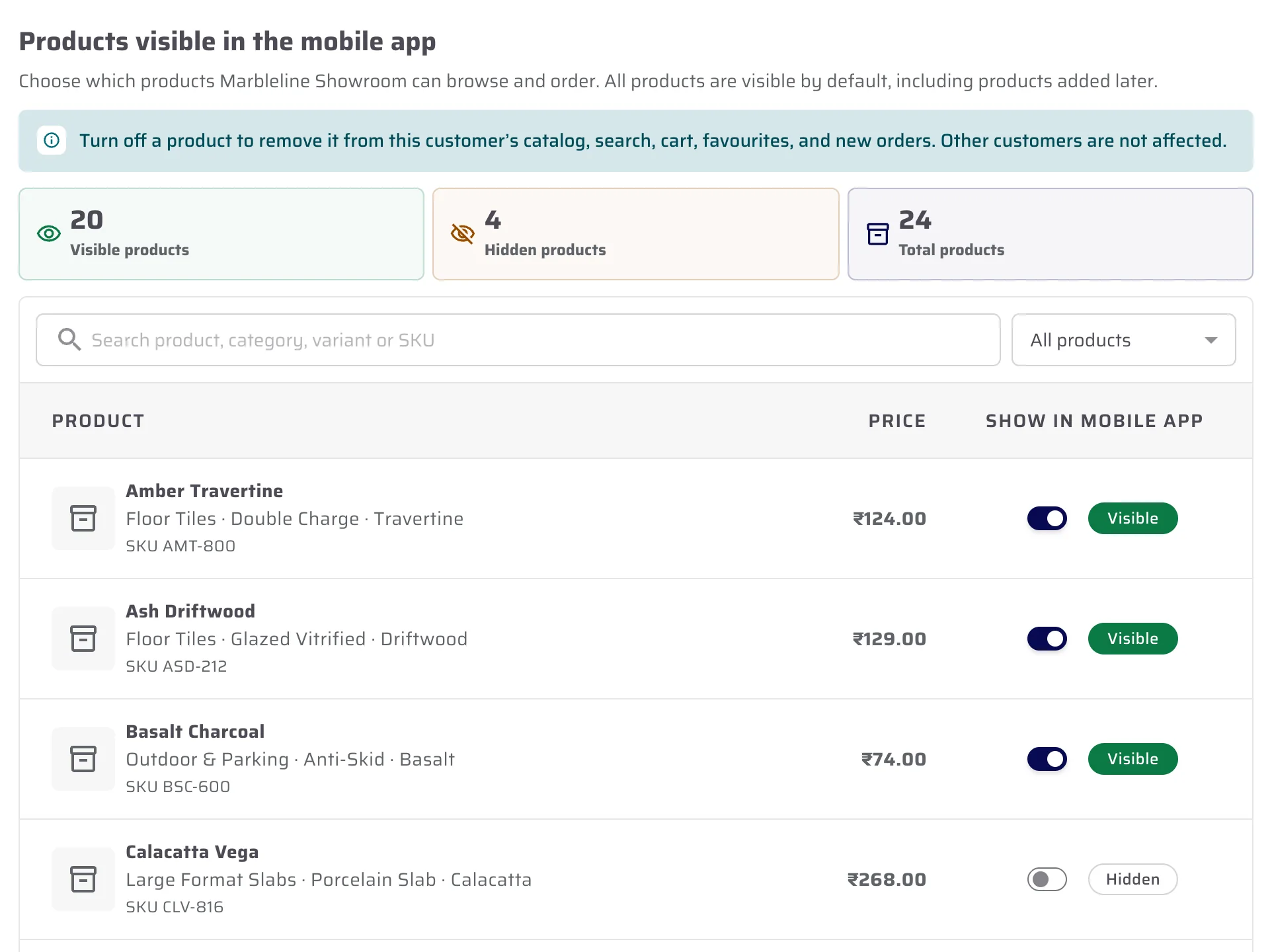
Product visibility
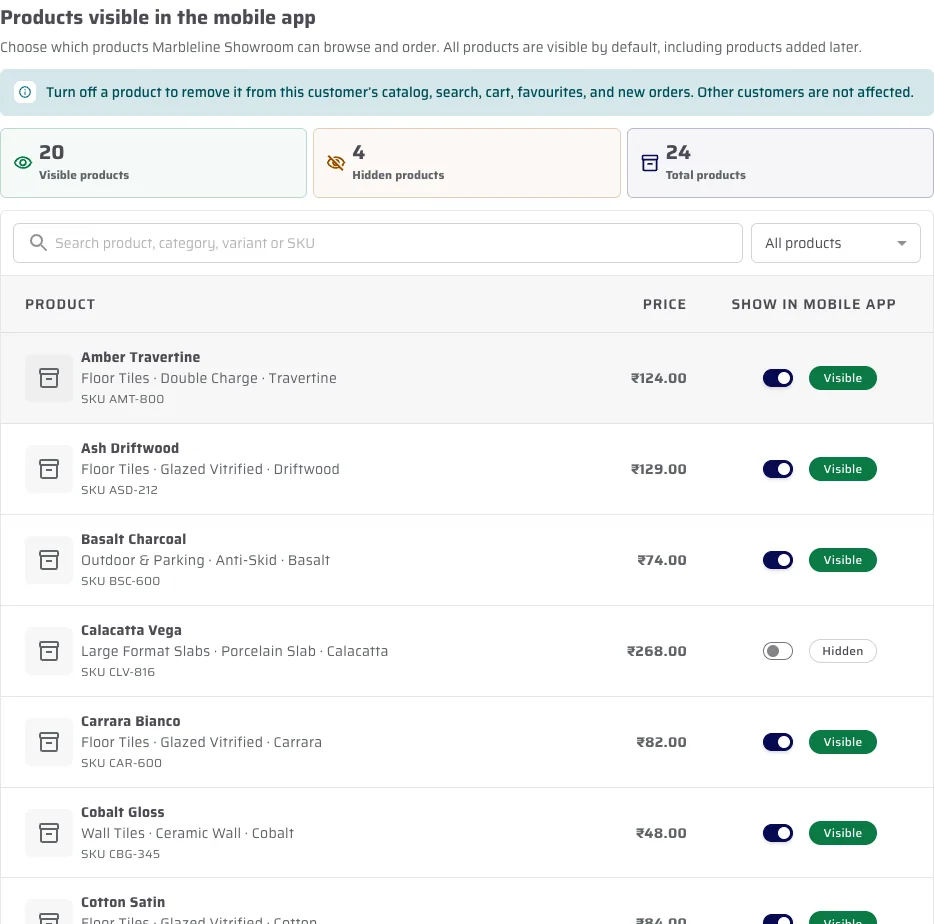
Turn off one product for one customer.
The control is on the customer record. The product stops appearing for that customer, while other retailers keep their own product list.
- Search the customer’s product list
- Change the mobile-app visibility control
- Keep a clear visible-versus-hidden count
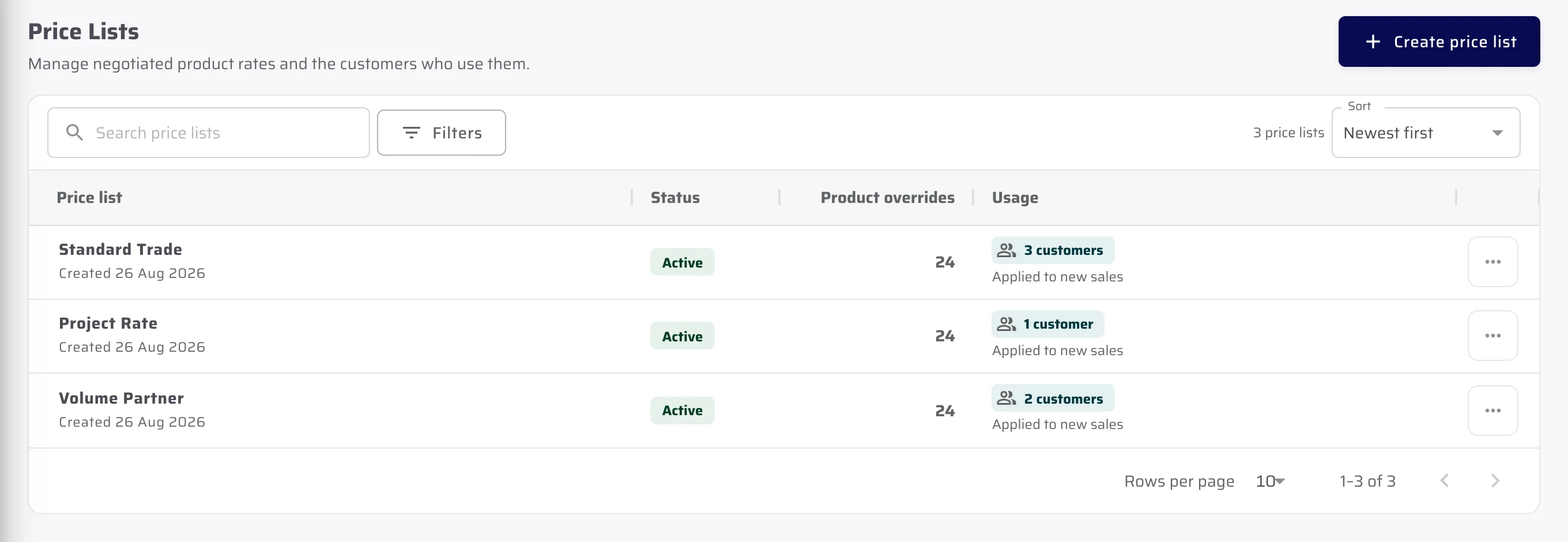
Customer-wise price list
Set a different price list for each customer.
Product visibility decides what the customer can see. The assigned price list decides the rate they receive. These are two separate controls.
- Price lists hold product-level rates
- Assign a list to the customers it applies to
- Demo product prices are not CeramicPortal plan prices
Important limits
What is not included.
We explain the feature first, then state the related limits clearly.
Questions about this
Answers before the demo.
Can I hide a product from one retailer?
Yes. The product will not appear in that retailer’s catalogue, search, cart or new orders.
Does hiding a product affect every retailer?
No. The control is attached to one customer record; other customers retain their own product visibility.
Is product visibility the same as customer pricing?
No. Visibility controls whether the product is present. A separately assigned price list determines the customer’s product rate.
See CeramicPortal for your retailer business.
Bring your retailer count, Product Catalogue, price lists, branches and godowns. We will show only verified product behaviour.