
Orders, estimates, challans and invoices
Convert a retailer order into an Estimate, Challan or Invoice.
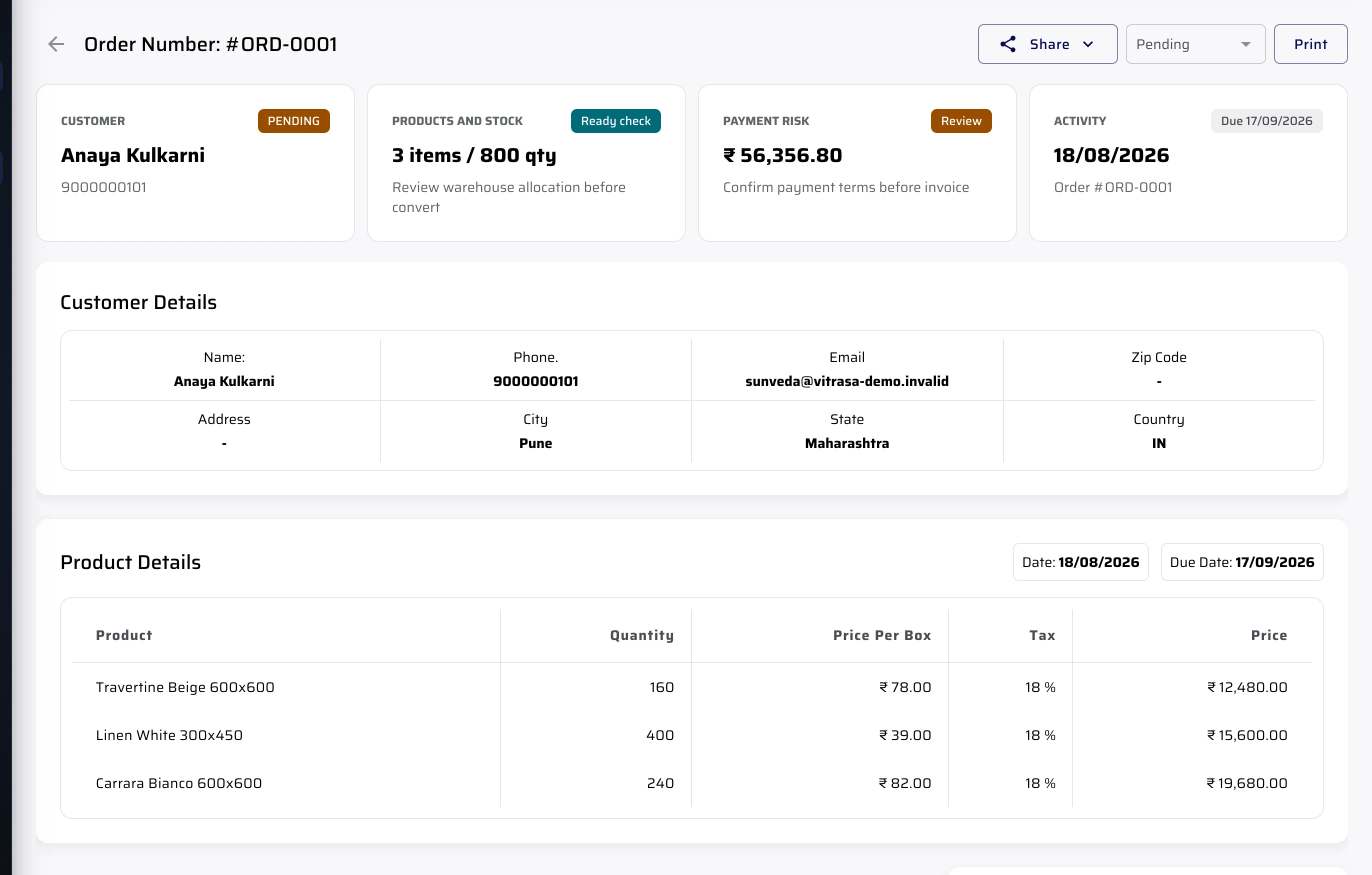
Open the order with its customer, products, quantities and rates. Review the details, then create the next supported business document without typing the order again.
Order queue
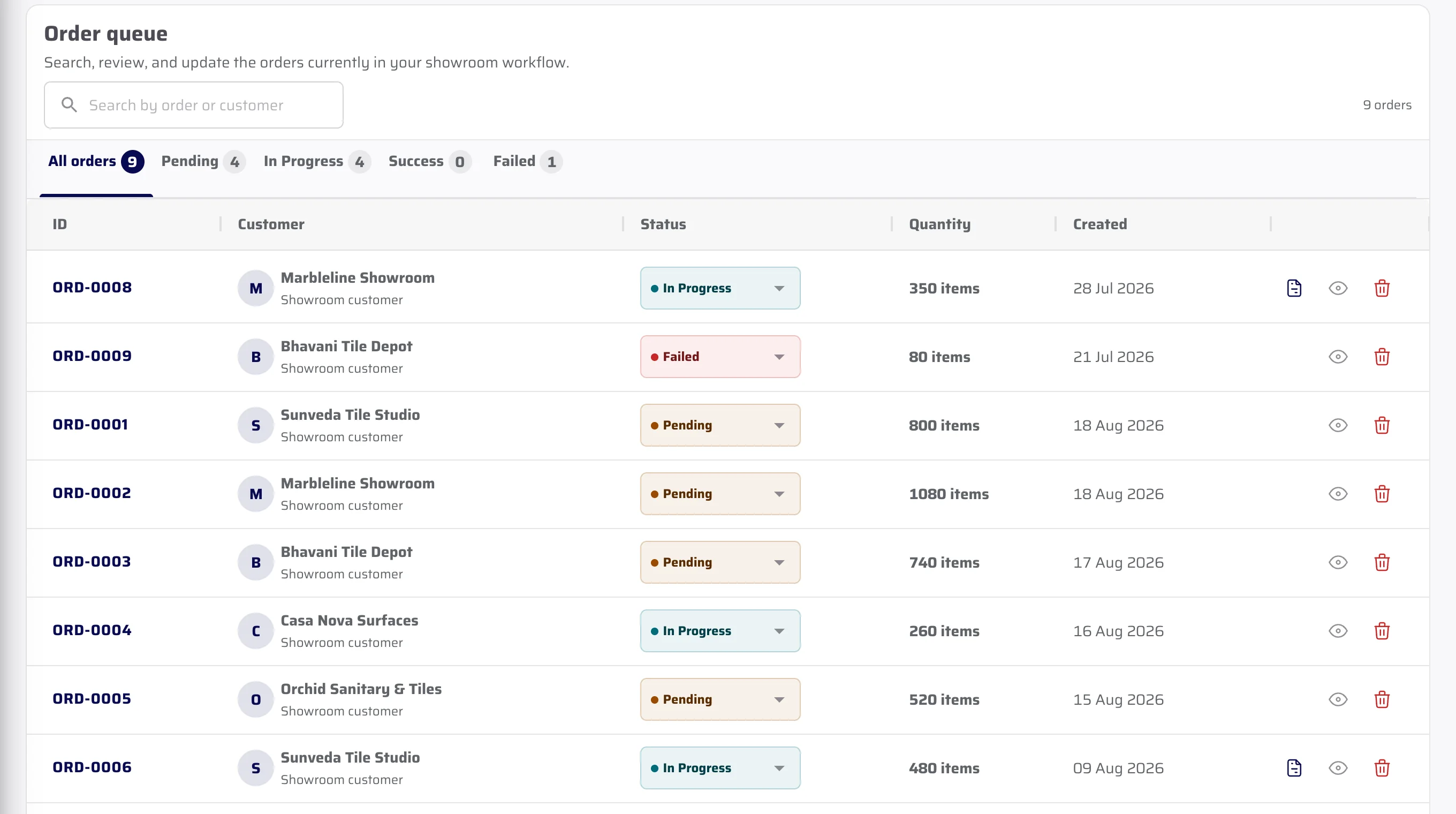
Review every retailer order in one queue.
Each retailer order shows the customer, quantity and current status. A team member can open the order to check its product lines.
- Customer identity remains attached
- Order quantity and status are visible in the queue
- The opened record carries the ordered product lines
Order to document
Review the order before creating the document.
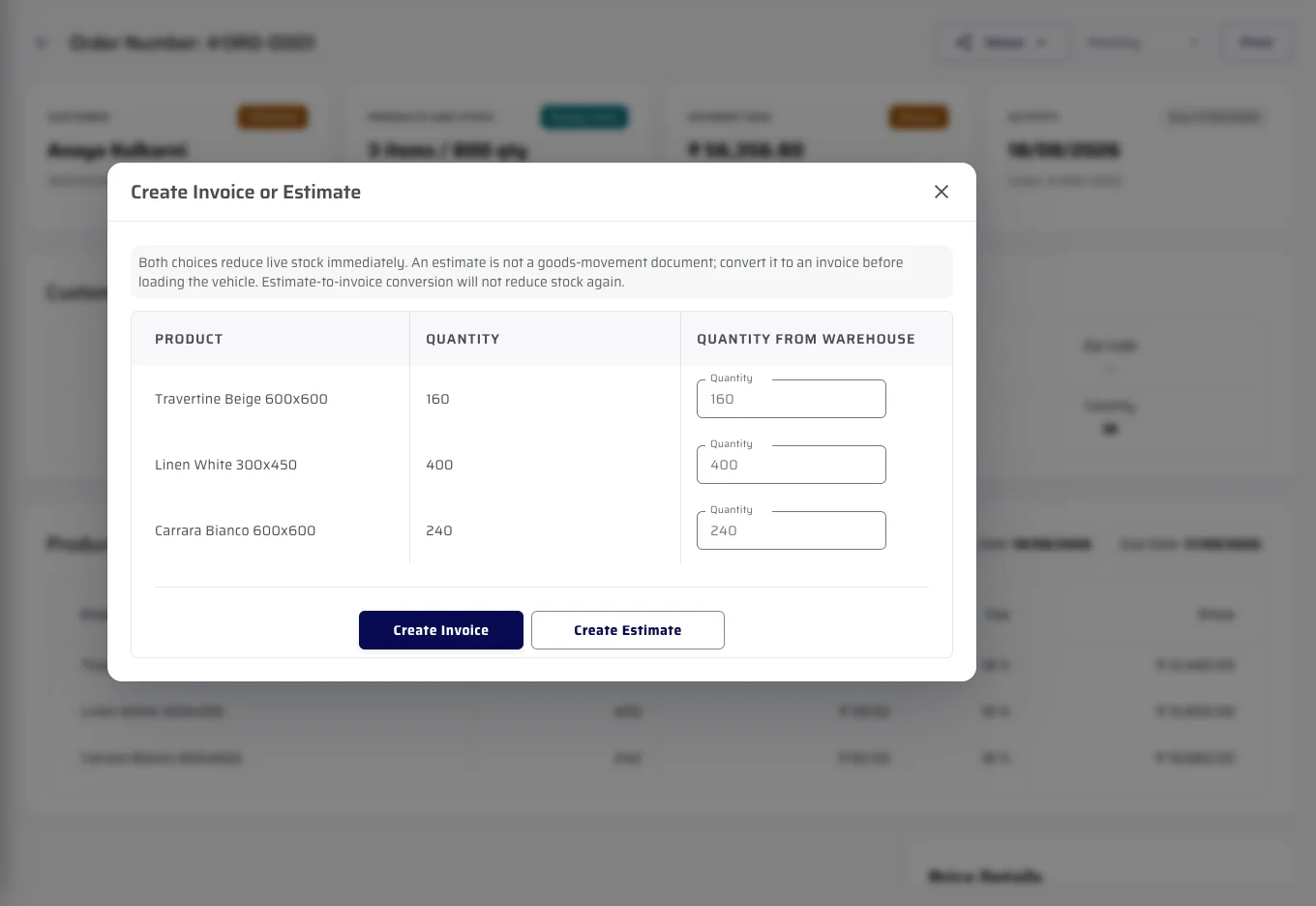
The recording opens the actual order and shows its supported document actions. It stops before changing the fictional demo record.
- Open the order
- Review customer, products, stock and payment details
- Choose the next supported document
Important limits
What is not included.
We explain the feature first, then state the related limits clearly.
Questions about this
Answers before the demo.
What reaches the wholesaler portal?
An order containing the customer, products, quantities, rates and current status.
Can the team review the order before creating a document?
Yes. The order shows customer, stock, payment and activity details before the next document is created.
Does this show where a delivery vehicle is?
No. This process has no vehicle-location or consignment-location feature. It covers the order and its business documents.
See CeramicPortal for your retailer business.
Bring your retailer count, Product Catalogue, price lists, branches and godowns. We will show only verified product behaviour.