
Accounting exports
Download Tally-ready, Miracle-compatible, Excel or CSV files.
Choose the records, format and date range. Review the file summary, then download the file for a person to import or use in Excel.
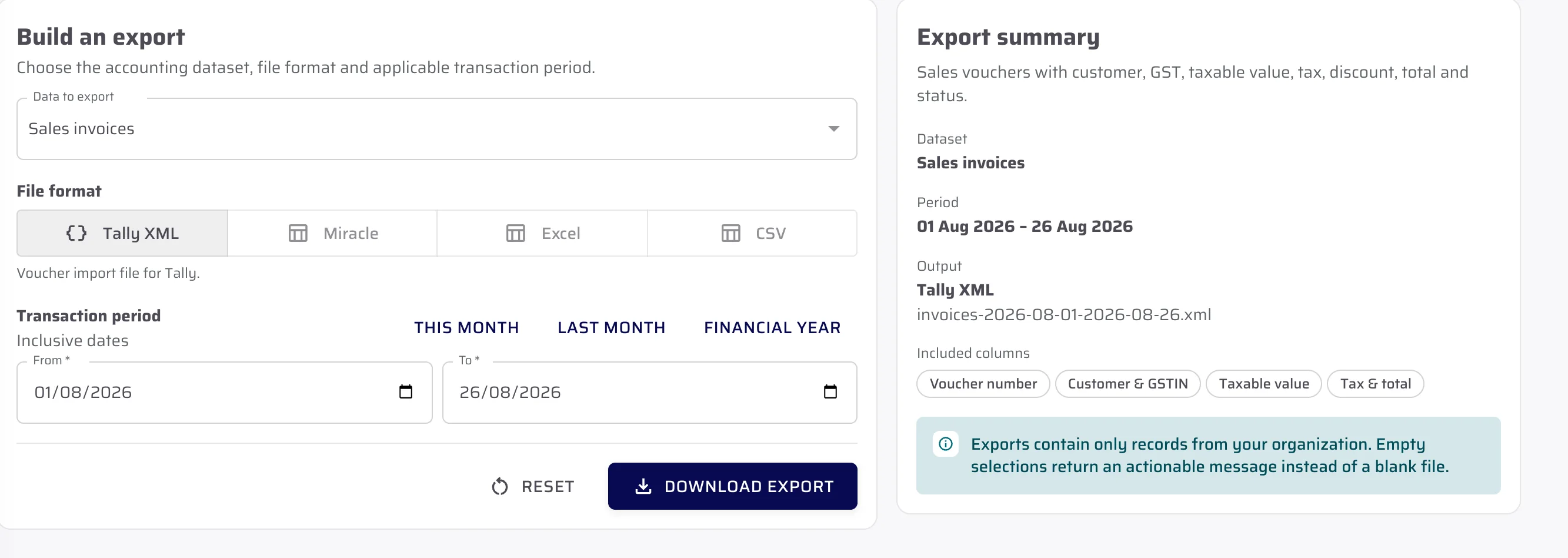
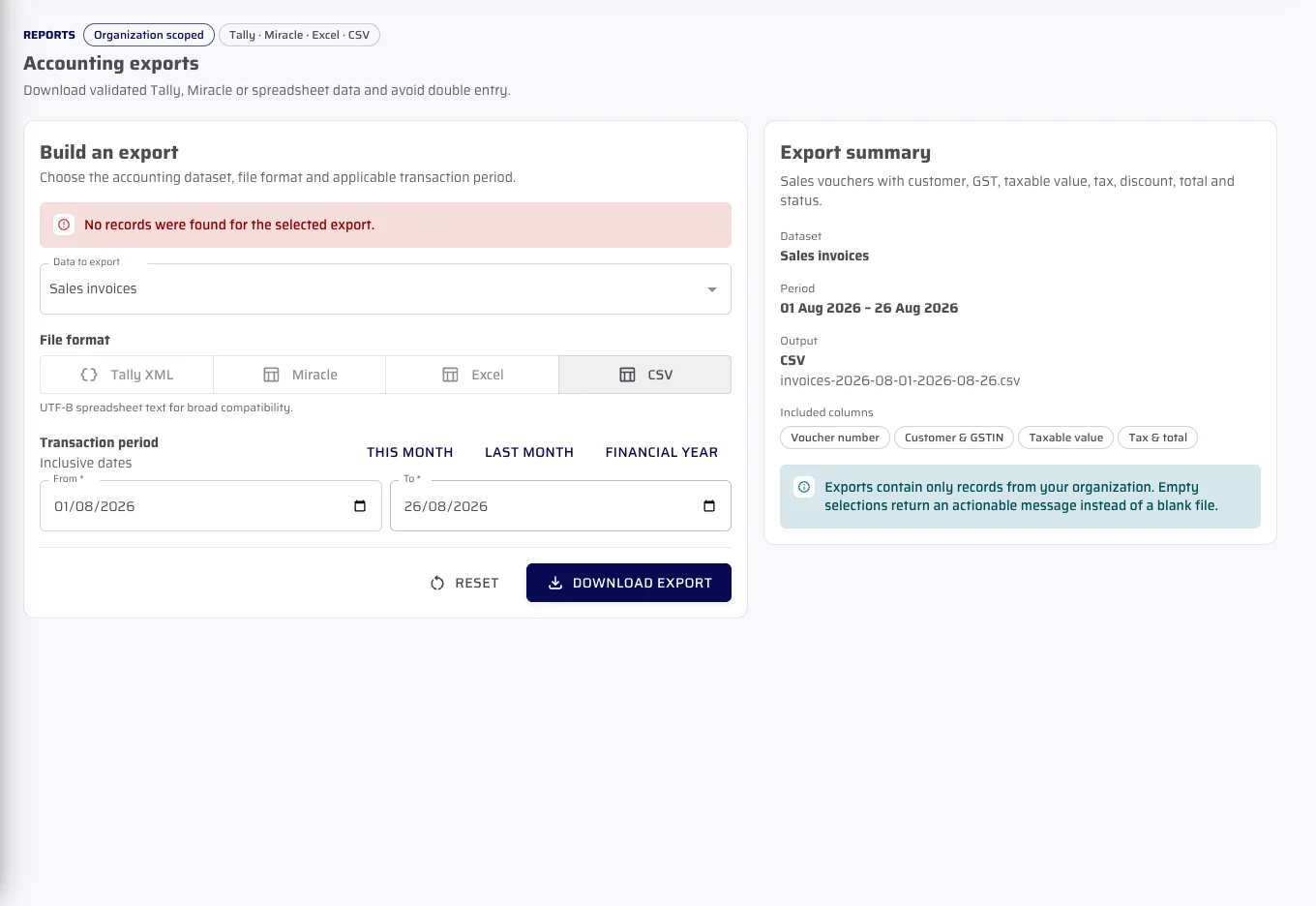
Create an export file
Choose the records, format and date range.
The recording changes the format and date range in the actual export builder. It then requests a file from fictional demo records.
- Select supported records
- Choose Tally XML, Miracle, Excel or CSV where offered
- Review the filename and included fields before download
File summary
Check what the file will contain before downloading it.
The summary shows the records, date range, format, filename and columns. An empty selection shows a clear message instead of creating a blank file.
- Sales invoices can produce Tally XML, Excel or CSV output
- Miracle output is limited to its verified sales-invoice path
- CSV formula prefixes are neutralised before download
Important limits
What is not included.
We explain the feature first, then state the related limits clearly.
Questions about this
Answers before the demo.
Is this a live Tally connection?
No. CeramicPortal produces a file that a person downloads and imports into the receiving accounting software.
Which formats are shown in the verified builder?
The verified builder offers Tally XML, Miracle, Excel and CSV, with availability depending on the selected data set.
Do exports run automatically?
No. A person chooses the data, format and period and starts each export.
See CeramicPortal for your retailer business.
Bring your retailer count, Product Catalogue, price lists, branches and godowns. We will show only verified product behaviour.